> For the complete documentation index, see [llms.txt](https://docs.pandium.com/llms.txt). Markdown versions of documentation pages are available by appending `.md` to page URLs; this page is available as [Markdown](https://docs.pandium.com/marketplaces/app-installation-options/auth-link.md).
# Auth Link
Use Auth Link to send users directly to an authentication flow without requiring the In-App Marketplace.
Auth Link lets you send users directly to an authentication flow for a specific connector, bypassing the In-App Marketplace entirely. This is useful for:
* **OAuth integrations**: Users authenticate directly with a third-party service
* **Credential-based connections**: Users enter their credentials without sharing them with you
* **Streamlined onboarding**: Skip the marketplace when you already know which integration a user needs
## Requirements
* A [Tenant](https://docs.pandium.com/integration-hub/creating-a-tenant) must be created for the user
**Note**: Auth Link does not require the In-App Marketplace to be set up.
## How to Generate an Auth Link
### Step 1: Create or find the tenant
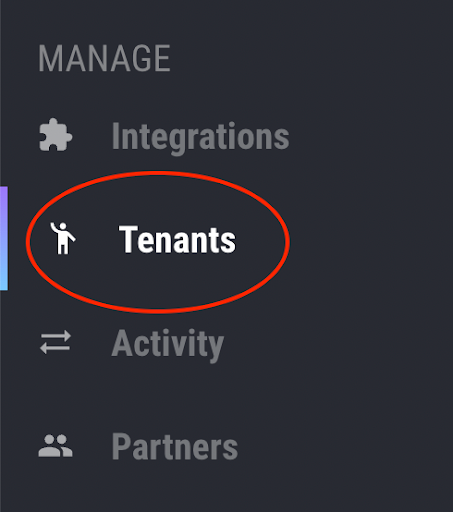
Go to the **Tenants** resource in the left menu bar.
If you haven't already, [create a Tenant](https://docs.pandium.com/integration-hub/creating-a-tenant) for your customer.
### Step 2: Open the connector
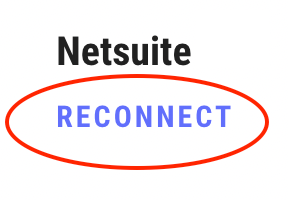
Click on the tenant to view its details. Under the connector you want the user to authenticate, click **Connect** (or **Reconnect** if previously connected).
### Step 3: Generate the Auth Link
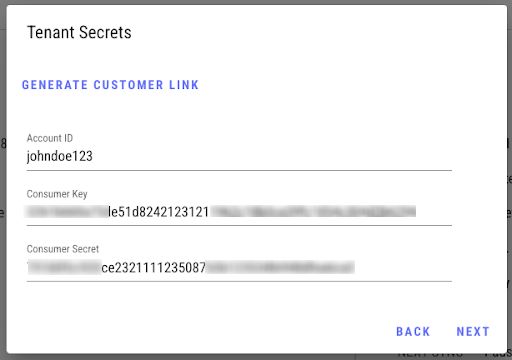
In the popup window, click **Generate Customer Link**.
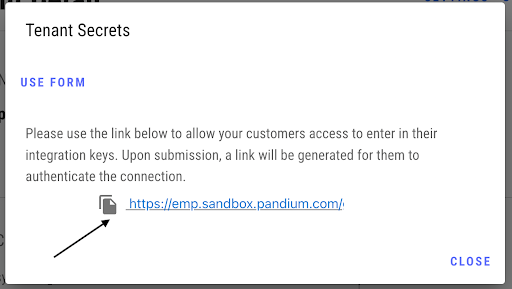
Copy the link to share with your user.
### Step 4: User authenticates
Send the link to your user. They will be taken directly to the authentication process—either an OAuth flow or a credential entry form, depending on the connector.
### Step 5: Verify connection
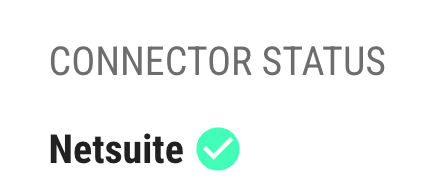
Once the user completes authentication, their connector status will show a green check on the **Tenant Details** page.
## Auth Link vs Live Link
| Feature | Auth Link | Live Link |
| ----------------------------------- | ---------------- | ------------------ |
| Requires marketplace | No | Yes |
| User sees marketplace UI | No | Yes |
| Requires tenant to be created first | Yes | No |
| Scope | Single connector | Entire integration |
If you want users to go through the standard marketplace experience, use [Live Link](/marketplaces/app-installation-options/live-link.md) instead.
## Auth-Only Connections
If you're building a custom marketplace using Pandium's Auth Dialog process, authentication can be defined directly within the JWT. See [Embedding Auth-Only Connections](https://docs.pandium.com/marketplaces/embedding-auth-only-connections) for details.
---
# Agent Instructions
This documentation is published with GitBook. GitBook is the documentation platform designed so that both humans and AI agents can read, navigate, and reason over technical content effectively. Learn more at gitbook.com.
## Querying This Documentation
If you need additional information that is not directly available in this page, you can query the documentation by asking a question.
Perform an HTTP GET request on the following URL with the `ask` and `goal` query parameters:
```
GET https://docs.pandium.com/marketplaces/app-installation-options/auth-link.md?ask=&goal=
```
`ask` is the immediate question: it should be specific, self-contained, and written in natural language.
`goal` is what the user is ultimately trying to achieve, the reason they need the answer. Sharing it helps GitBook give you a better, more relevant answer. A goal is most helpful when it describes the outcome the user wants rather than restating the question. For example, with `ask=how do I create an API token`, a goal like `automate deployments from our CI pipeline` lets GitBook tailor the answer to that use case.
The response will contain a direct answer to the question and relevant excerpts and sources from the documentation.
Use this mechanism when the answer is not explicitly present in the current page, you need clarification or additional context, or you want to retrieve related documentation sections.